NewSwoop
Follow your service, live
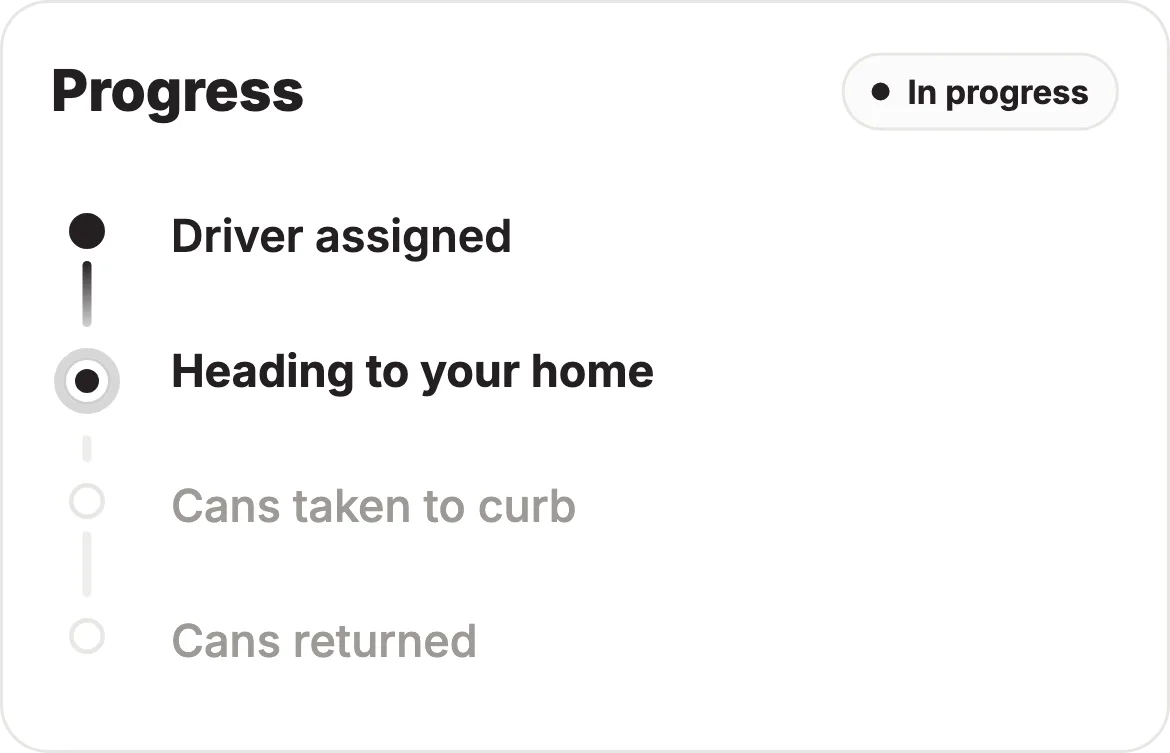
Open any service to follow it on a real-time timeline — from “driver assigned” to “cans returned” — and message your team without leaving the screen.
Live status timelineIn-thread messagingDriver identity & ETA
A running record of what we’ve shipped across the Swoop and Swooper apps — new features, refinements, and fixes.
Open any service to follow it on a real-time timeline — from “driver assigned” to “cans returned” — and message your team without leaving the screen.
We rebuilt the whole app around a quiet editorial design language — a soft off-white canvas, crisp typography, and gentle spring motion. Less chrome, more clarity.
Flag a problem on any job and get a real ticket you can follow, with a clear success confirmation. Support sees the full context, so issues get resolved faster.
After each completed service you can leave a quick rating and see the driver who took care of it. Your feedback keeps service quality high across the neighborhood.
Booking a service is now a single, focused flow with full pricing up front and a celebratory confirmation. No guesswork before you confirm.
Forgot your password? The new in-app reset flow matches Swoop’s editorial design with a simple one-time-code entry screen.
Fixed pull-to-refresh on every Schedule tab — including empty states — so drivers always see the latest offers and assignments.
The notifications screen loads instantly from cache and refreshes in the background. Every alert now deep-links straight to the right place in the app.
We refreshed the driver app with the “Soft Authority” design language — clearer typography, calmer surfaces, and more consistent spacing across every screen.
You can now release your earnings instantly and Cash Out whenever you want — no waiting for the weekly cycle. Track every payout right in the app.
Property details moved to clean flat rows with quick bottom-sheet editing. Pickup day and gate codes are easier to find and update.
We’ve improved in-service messaging with a cleaner thread, read receipts, and typing indicators — so you always know your message landed.
We’ve improved onboarding with redesigned, editorial sign-up screens — clearer steps and calmer surfaces, with less guesswork before your first shift.
You can now share feedback without leaving Swoop. Tell us what you love or what’s tripping you up, and it goes straight to our team.
We’ve improved your home screen to show the next three upcoming services at a glance — so you always know what’s next without digging.
We’ve added the customer’s return photo to the service detail screen — so you can see exactly where their cans belong, every time.
You can now track your drive miles automatically while you work. Swooper logs IRS-compliant mileage you can export when it’s time to file.
You can now join the waitlist if your address is just outside our current service area — we’ll reach out the moment Swoop reaches your neighborhood.